Turn WooCommerce events into WhatsApp messages
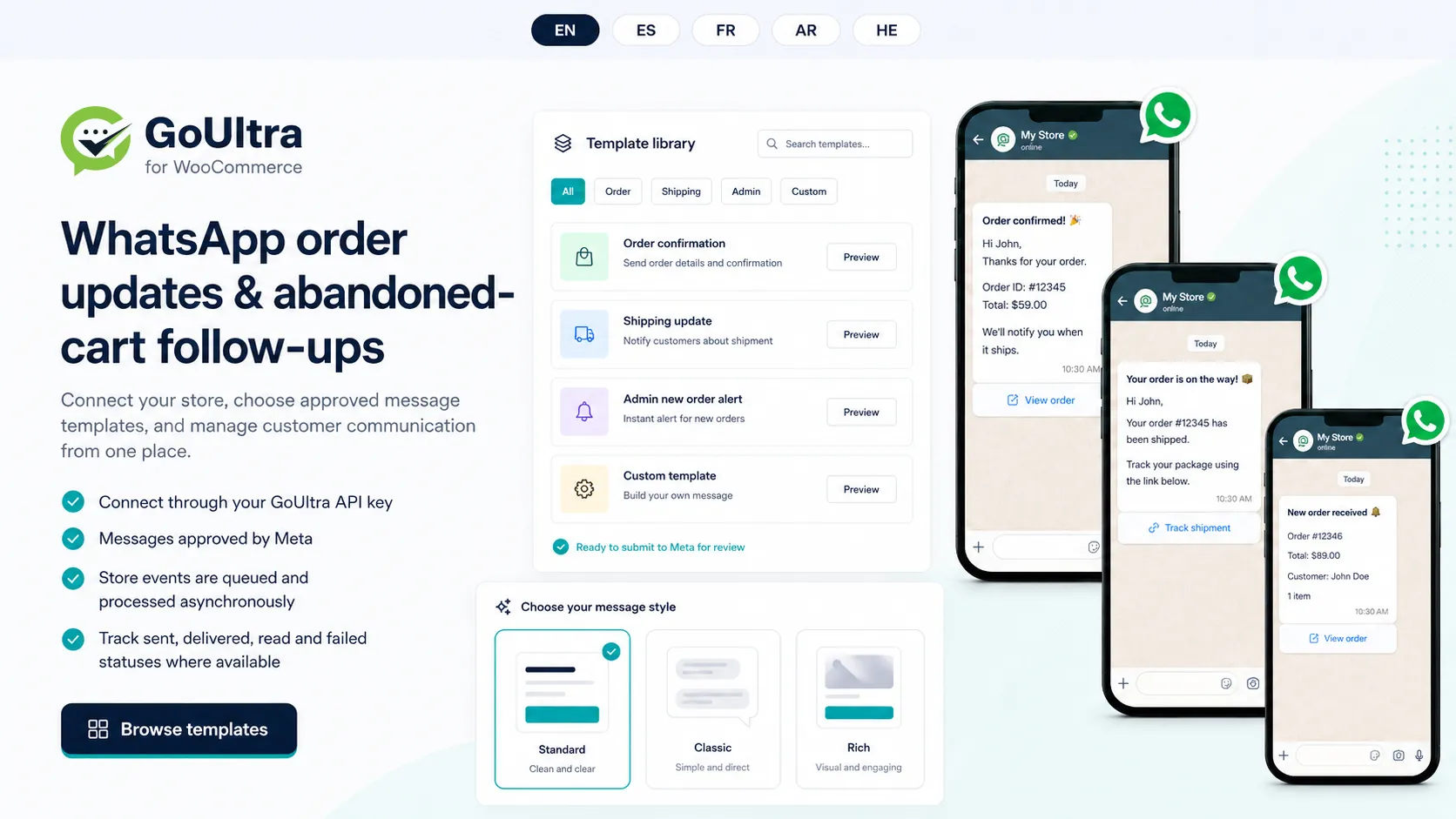
GoUltra for WooCommerce connects your store to a GoUltra WhatsApp Business number and sends a message when an order event happens - an order is placed, an order ships, or a cart is abandoned. You map each event to a message approved by Meta, and the plugin sends it according to your configuration. Store events are queued and processed asynchronously, so messaging is designed not to block checkout.
Connect your store
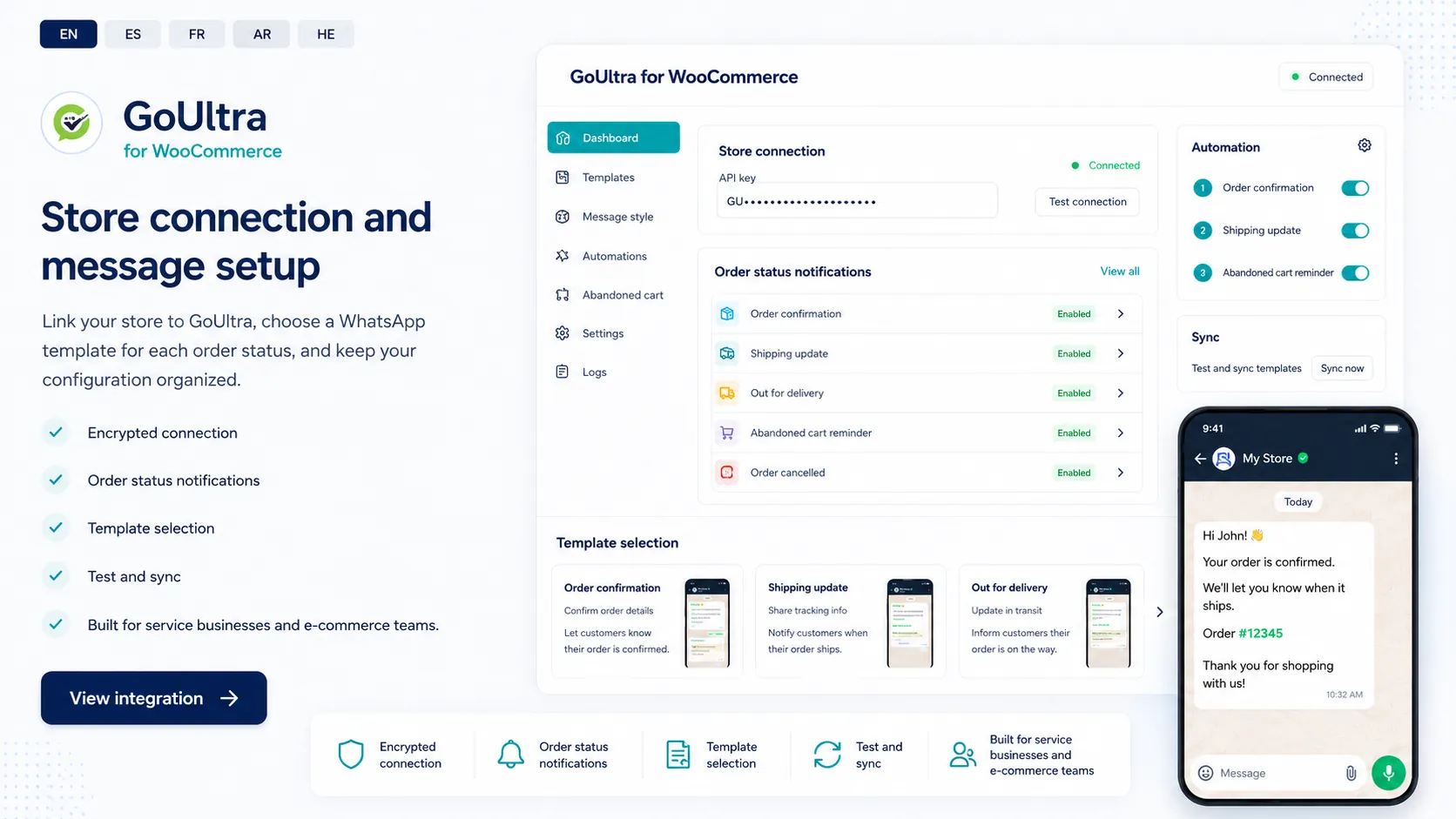
Link your store to GoUltra with your API key from the GoUltra dashboard, then choose a WhatsApp template for each order status and keep your configuration in one place. The connection uses an encrypted link, and you can test and sync before going live.
A message for each order status
Choose which WooCommerce order statuses send a WhatsApp message, and select the approved message for each one - for example an order confirmation when an order is received, a shipping update when it is fulfilled, and an alert to your team for new orders. You turn each status on or off and pick its message.
Up to three configured follow-ups
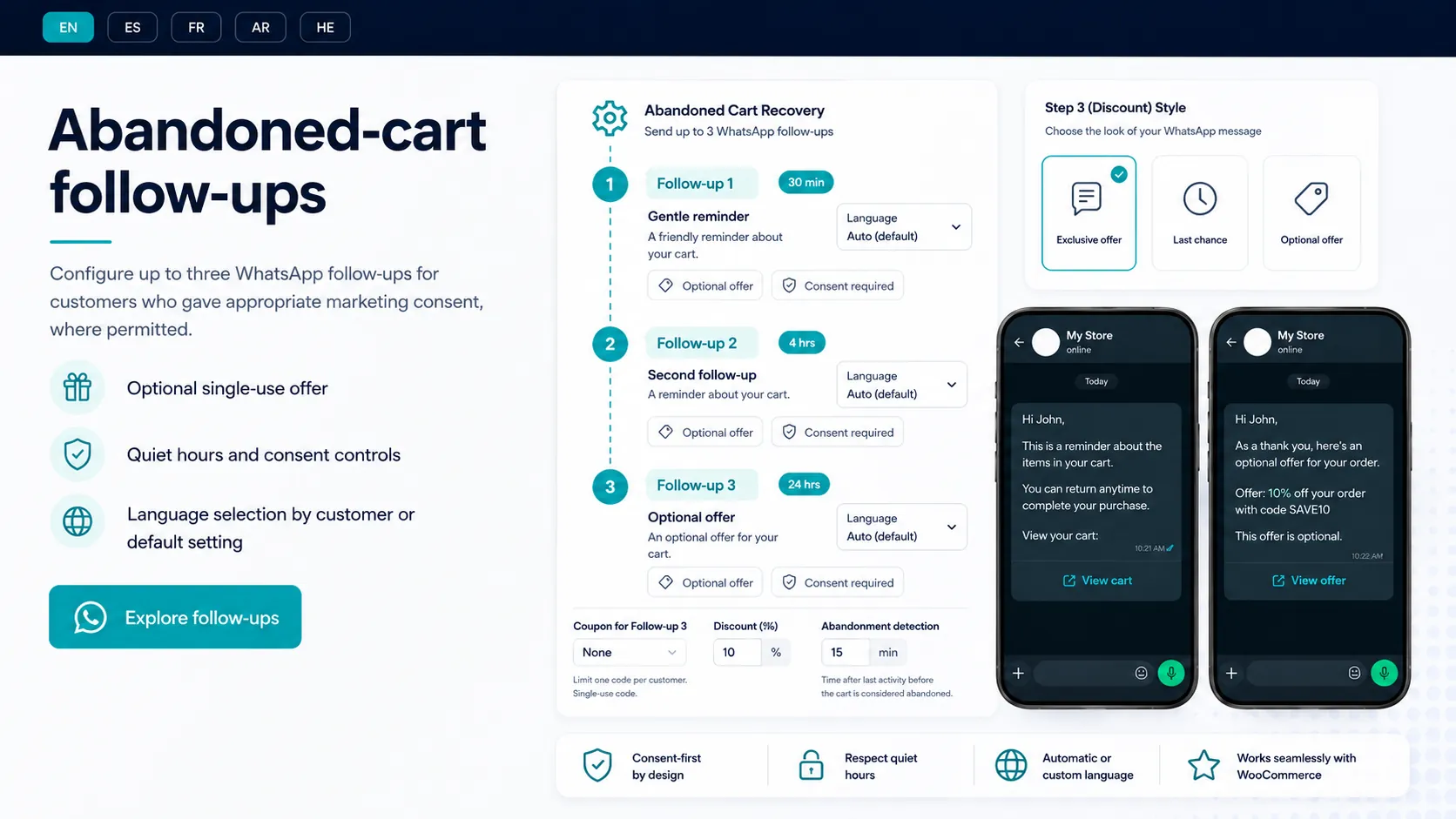
Abandoned-cart follow-ups can be configured only for customers with documented permission to receive promotional WhatsApp messages, where permitted. A checkout phone number alone is not treated as marketing consent. You can configure up to three follow-up messages - for example a gentle reminder, a later follow-up, and an optional single-use coupon - with quiet hours. Pending reminders stop when a customer withdraws consent; you remain responsible for consent and applicable rules.
Templates and languages
Start from ready-made message structures for order confirmations, shipping updates, admin alerts and abandoned-cart steps, or write your own with variables. The plugin interface is available in English, Hebrew, Arabic, Spanish and French; the full setup guide is currently published in English, with localized guides to follow. Starter message content is available in additional languages, and each language still needs its own message version and Meta approval.
What GoUltra does not promise
GoUltra provides the software layer. It does not promise message delivery, completed checkouts, or revenue, and it does not make your store compliant on its own. The final WhatsApp template category and approval are decided by Meta based on the message content. WhatsApp message charges from Meta are separate from your GoUltra plan. The merchant remains responsible for configuring the integration, for customer consent, and for meeting the WhatsApp and legal requirements that apply.
Frequently asked questions
Connect your store
Set up WhatsApp order updates and abandoned-cart follow-ups for your WooCommerce store.